
You've built a beautiful API. Express routes, clean middleware, maybe even some caching. You deploy it to a server in Virginia, and everything is fast. Snappy even.
Then you check your analytics. A user in Mumbai waited 340ms just for the initial response. Someone in Sydney? 420ms. And that's before your database query even runs.
The problem isn't your code. It's physics. Light travels through fiber at about 200,000 km/s, and when your server lives in one place but your users live everywhere, someone is always far away. Edge functions are the industry's answer to that fundamental constraint — and in 2026, they're no longer experimental. They're the default.
The Problem: Centralized Backends Are Slow for Global Users
Here's a mental model. Imagine you're ordering pizza. There are two restaurants: one across the city (30 minutes away) and one around the corner (5 minutes). The pizza is identical. Which one do you choose?
That's exactly what happens with traditional backends. Your server sits in us-east-1, and every request — from London, São Paulo, or Tokyo — has to travel thousands of kilometers to reach it, get processed, and travel back.
Let's do the math:
| User Location | Distance to Virginia | Round-Trip Latency (approx.) |
|---|---|---|
| New York | ~500 km | ~10ms |
| London | ~5,900 km | ~80ms |
| Mumbai | ~13,000 km | ~180ms |
| Sydney | ~16,000 km | ~250ms |
That's just network latency. Add DNS resolution, TLS handshake, and your actual server processing time, and you're easily looking at 300-500ms for distant users. In a world where Google found that 53% of mobile users abandon sites that take longer than 3 seconds to load, every millisecond matters.
Traditional serverless (like AWS Lambda) helped with scaling — you don't manage servers anymore — but it didn't solve the geography problem. Your Lambda still runs in one region.
Edge functions solve both.
What Are Edge Functions?
Edge functions are small pieces of server-side code that run at data centers distributed around the world, as close to your users as possible. Instead of one central server, your code is deployed to dozens — sometimes hundreds — of locations simultaneously.
When a user makes a request, it gets routed to the nearest edge location, processed there, and the response is sent back. The "edge" refers to the edge of the network — the point closest to the end user.
Think of it like this: instead of one pizza restaurant in the city center, you have a franchise on every block. No matter where the customer is, there's always a kitchen nearby.
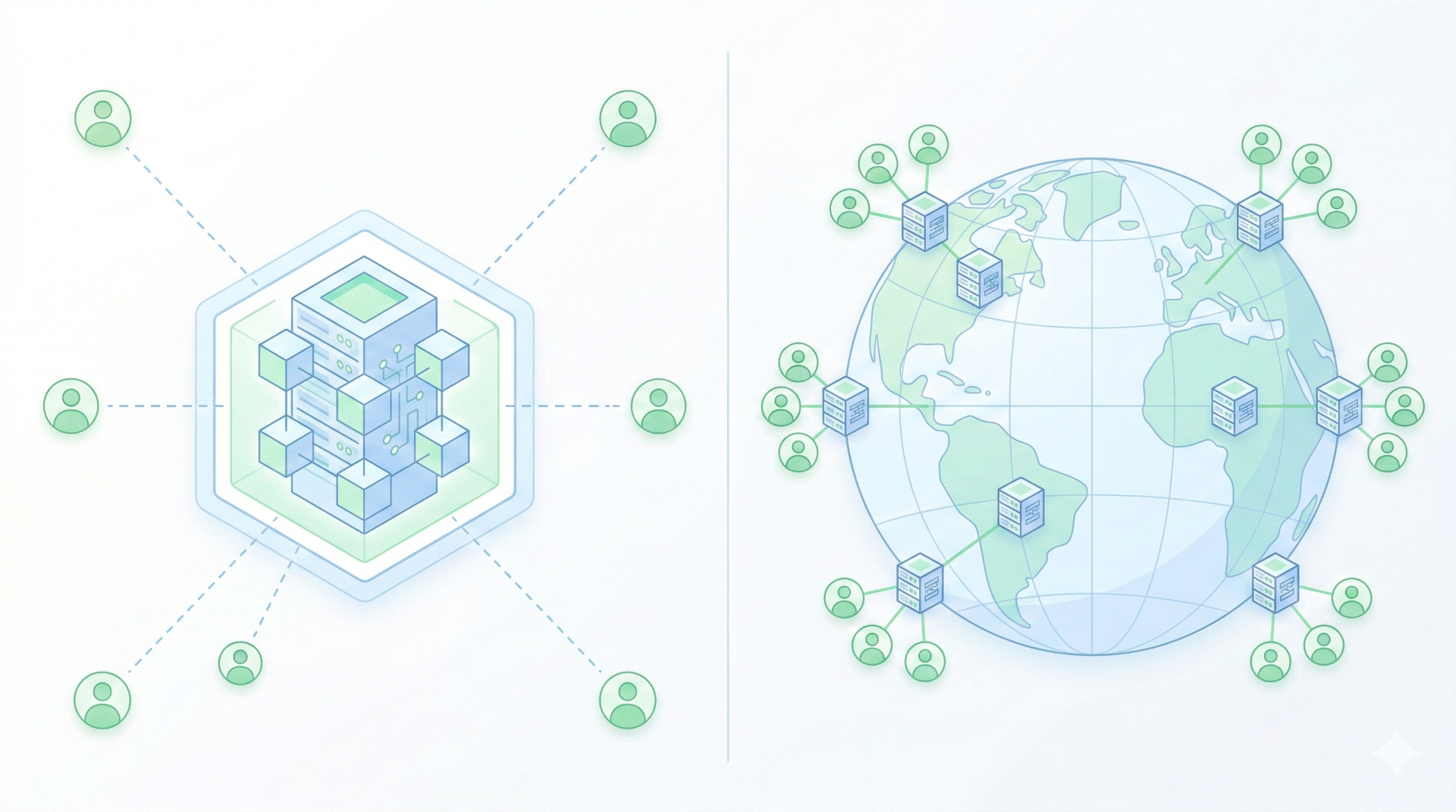
Here's how edge functions compare to the alternatives:
| Feature | Traditional Server | Serverless (Lambda) | Edge Functions |
|---|---|---|---|
| Where it runs | One data center | One region (usually) | 100+ global locations |
| Cold starts | None (always on) | 100ms–1s+ | <5ms (V8 isolates) |
| Scaling | Manual / auto-scale | Automatic | Automatic |
| Latency | Depends on distance | Depends on region | Ultra-low (nearest node) |
| Runtime | Full Node.js / Python | Full runtime | Lightweight (Web APIs) |
| Max execution | Unlimited | 15 min (Lambda) | 30s–50ms typical |
| Cost model | Always-on | Pay per invocation | Pay per invocation |
| Best for | Complex backends | Event-driven tasks | Fast, lightweight logic |
The key insight: edge functions aren't a replacement for your entire backend. They're a layer — the first thing that touches a request, handling fast decisions before (optionally) forwarding to a traditional backend for heavier work.
How Edge Functions Actually Work Under the Hood
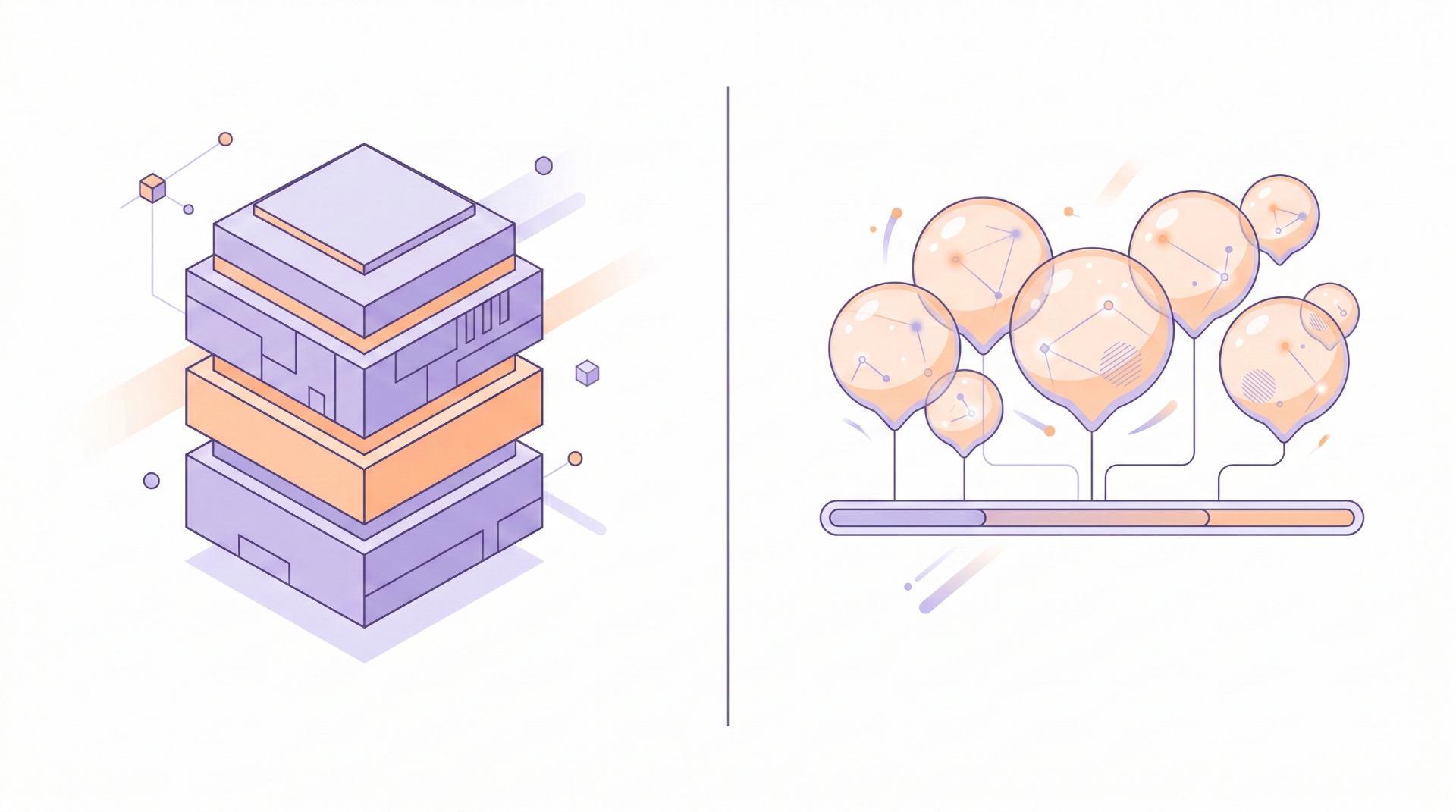
Traditional serverless functions (like AWS Lambda) spin up a container for each invocation. Containers are powerful but heavy — they include an entire OS environment, which is why cold starts can take hundreds of milliseconds.
Edge functions take a radically different approach: V8 isolates.
A V8 isolate is a lightweight instance of the V8 JavaScript engine (the same engine that powers Chrome and Node.js). Instead of booting an entire container, the platform creates a tiny, sandboxed execution environment in microseconds. Multiple isolates can share the same process, making them incredibly efficient.
javascript// A Cloudflare Worker — this IS an edge function
export default {
  async fetch(request) {
    const url = new URL(request.url);
    const country = request.cf?.country || "unknown";

    // Geo-based routing at the edge
    if (country === "DE") {
      return Response.redirect("https://de.example.com" + url.pathname, 302);
    }

    return new Response(`Hello from the edge! You're visiting from: ${country}`, {
      headers: { "Content-Type": "text/plain" },
    });
  },
};
This code runs in ~1ms. No container boot. No cold start. It executes at whichever of Cloudflare's 300+ data centers is closest to the user.
The tradeoff? Edge runtimes are not full Node.js environments. You get Web Standard APIs (fetch, Request, Response, URL, crypto) but not Node-specific APIs (fs, child_process, net). Think of it as "browser JavaScript on the server" — an intentional constraint that keeps things fast and secure.
When to Use Edge Functions (and When Not To)
Edge functions are powerful, but they're not a silver bullet. Here's a practical decision framework:
✅ Great Use Cases
- Authentication & JWT validation — Verify tokens before requests hit your API
- Geo-routing & localization — Redirect users to region-specific content
- A/B testing — Assign experiment variants at the edge, zero client-side flicker
- Rate limiting — Block abusive traffic before it reaches your origin
- Content personalization — Serve different content based on cookies, location, or device
- API response caching — Cache and serve responses from the nearest edge node
- Bot detection — Filter out bot traffic at the perimeter
❌ Not Ideal For
- Heavy database queries — Your DB is still in one region; the edge function is fast but the DB round-trip isn't
- Long-running tasks — Most edge runtimes cap execution at 30-50ms for CPU time
- File processing — Uploading, transforming, or streaming large files needs a full runtime
- Complex business logic — If your function needs 50 npm packages, it belongs in a Lambda or a server
The Decision Flowchart
Ask yourself these three questions:
- Does this logic need to be fast for all users globally? → If yes, consider edge.
- Is the logic lightweight (< 50ms CPU time)? → If yes, edge is perfect.
- Does it depend on a regional database or heavy I/O? → If yes, keep it in your origin server.
The sweet spot is a hybrid architecture: edge functions handle the first layer (auth, routing, caching, personalization), and your traditional backend handles the heavy lifting (database operations, business logic, file processing).
Building Your First Edge Function
Let's build two real, runnable examples.
Example 1: Vercel Edge Function (Next.js Middleware)
This is the most common pattern for Next.js developers. Middleware runs at the edge by default in Next.js:
javascript// middleware.js (place in your project root)
import { NextResponse } from "next/server";

export function middleware(request) {
  const country = request.geo?.country || "US";
  const url = request.nextUrl.clone();

  // Redirect Indian users to the localized version
  if (country === "IN" && !url.pathname.startsWith("/in")) {
    url.pathname = `/in${url.pathname}`;
    return NextResponse.redirect(url);
  }

  // Add custom headers for analytics
  const response = NextResponse.next();
  response.headers.set("x-user-country", country);
  response.headers.set("x-edge-region", request.geo?.region || "unknown");

  return response;
}

// Only run on specific paths
export const config = {
  matcher: ["/((?!api|_next/static|_next/image|favicon.ico).*)"],
};
This middleware:
- Checks the user's country via geo-IP (available automatically at the edge)
- Redirects Indian users to a localized path
- Adds tracking headers to every response
- Runs in <1ms at the nearest Vercel edge node
Example 2: Cloudflare Worker (Standalone)
javascript// worker.js
export default {
  async fetch(request, env) {
    const url = new URL(request.url);

    // Simple API rate limiter using Cloudflare KV
    const clientIP = request.headers.get("CF-Connecting-IP");
    const rateLimitKey = `rate:${clientIP}`;

    const currentCount = parseInt(await env.RATE_STORE.get(rateLimitKey)) || 0;

    if (currentCount > 100) {
      return new Response(
        JSON.stringify({ error: "Rate limit exceeded. Try again later." }),
        { status: 429, headers: { "Content-Type": "application/json" } }
      );
    }

    // Increment counter with 60-second TTL
    await env.RATE_STORE.put(rateLimitKey, String(currentCount + 1), {
      expirationTtl: 60,
    });

    // Forward to origin or handle directly
    return new Response(
      JSON.stringify({
        message: "Request allowed",
        remaining: 100 - currentCount - 1,
        edge_location: request.cf?.colo || "unknown",
      }),
      {
        status: 200,
        headers: { "Content-Type": "application/json" },
      }
    );
  },
};
This Worker implements a distributed rate limiter using Cloudflare KV (a globally-distributed key-value store available at the edge). Every request is rate-limited at the nearest edge node — no origin server involved.
Common Mistakes Developers Make with Edge Functions
After working with edge functions and seeing teams adopt them, these are the pitfalls I see most often:
1. Putting Too Much Logic at the Edge
Edge functions should be thin. If you're importing a heavy ORM, running complex validations, or doing multi-step business logic, you've gone too far. The edge is for fast decisions, not full application logic.
Instead: Use the edge as a smart router. Validate tokens, check geo-location, set headers, then forward to your origin for the heavy work.
2. Ignoring Database Latency
Your edge function runs in Tokyo, but your database is in Virginia. Congratulations — you've made your function fast but your data fetch is still slow. This is the "edge function paradox."
Instead: Use edge-compatible databases like Neon (serverless Postgres with edge-optimized drivers), Turso (distributed SQLite), or Upstash (serverless Redis). These distribute your data alongside your compute.
3. Not Understanding Statelessness
Edge functions are stateless. There's no persistent memory between requests. You can't store a variable in one invocation and read it in the next.
Instead: Use edge-compatible KV stores (Cloudflare KV, Vercel Edge Config) or databases for any state that needs to persist.
4. Skipping Local Development
Edge runtimes have subtle differences from Node.js. Code that works in your local Node.js dev server might fail at the edge because you used a Node-specific API.
Instead: Use platform-specific dev tools — wrangler dev for Cloudflare Workers, or next dev with the edge runtime flag — to catch issues before deployment.

Final Thoughts
The backend is decentralizing. In the same way that CDNs moved static assets to the edge decades ago, edge functions are now moving compute to the edge. The result is a fundamentally faster web — not through optimization tricks, but through eliminating physics as a bottleneck.
You don't need to rewrite your entire backend. Start small: move JWT validation to the edge. Add geo-based redirects. Implement rate limiting at the perimeter. These are low-risk, high-impact changes that will make your application feel noticeably faster for users around the world.
The developers who thrive in 2026 aren't the ones who know the most frameworks — they're the ones who understand where their code should run. And increasingly, the answer is: as close to the user as possible.
If you found this useful, follow along for more deep dives on modern web development, cloud architecture, and developer tools.
Further Reading: