Authentication vs. Authorization: Understanding the Pillars of Software Security
In the world of cybersecurity and software development, "Authentication" and "Authorization" are two terms that are frequently—and incorrectly—used interchangeably. Often abbreviated as AuthN and AuthZ, they are distinct but inextricably linked processes that form the absolute foundation of Identity and Access Management (IAM).
If you get them confused while building an application, you don't just create bugs; you create massive security vulnerabilities.
To understand the difference instantly, consider an airport analogy:
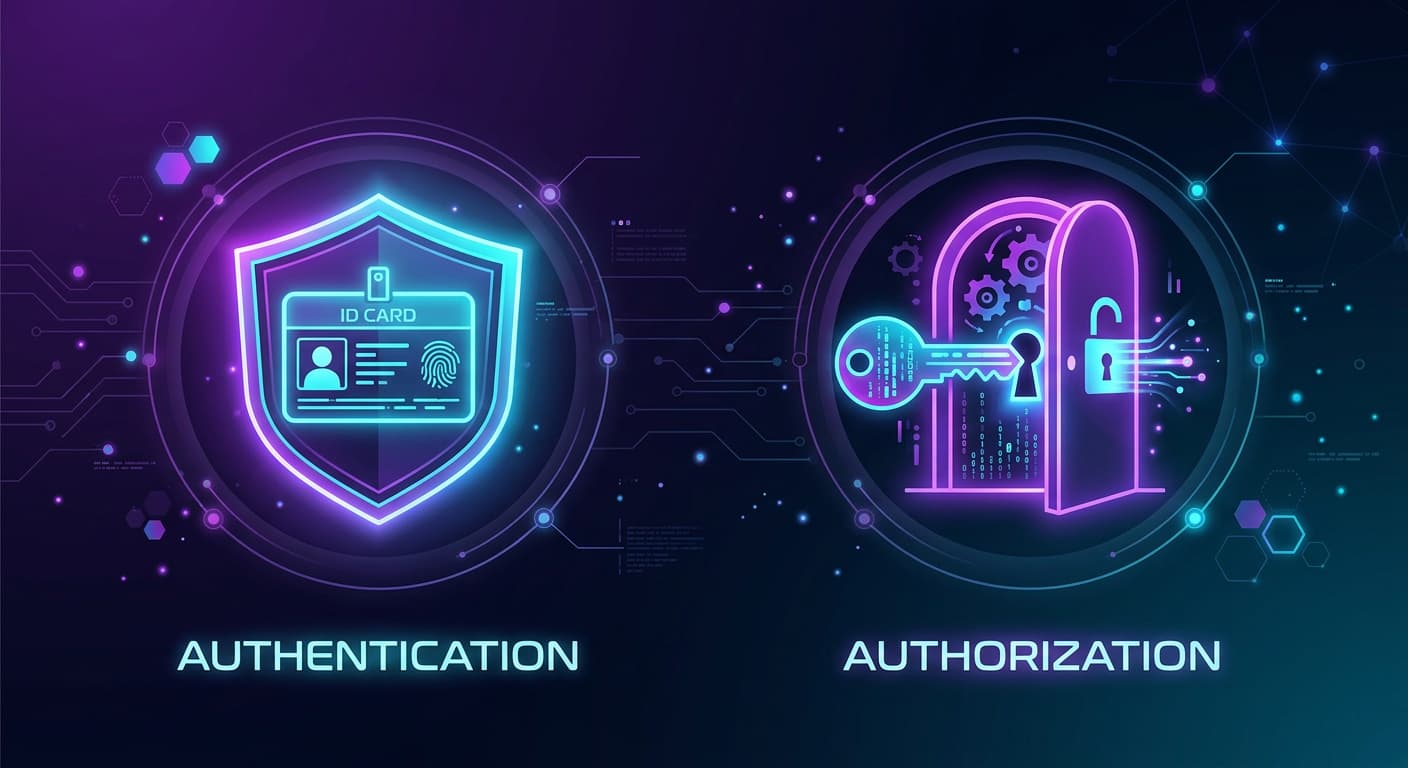
Authentication is the ID check at the TSA security counter. The agent looks at your passport to verify that you are who you say you are.
Authorization is the boarding pass scan at the gate. Even though your identity is verified, the system checks if you are allowed to get on this specific plane.
Let's dive deep into both concepts, how they differ, and the modern methods used to enforce them.
1. Authentication (AuthN): "Who are you?"
Authentication is the process of verifying the identity of a user, device, or automated workload. Its sole purpose is to ensure that the entity requesting access to a system is legitimate.
Historically, authentication relied on three core factors:
- Knowledge Factor: Something you know (a password, a PIN, or a security question).
- Possession Factor: Something you have (a smartphone, a YubiKey, or a hardware token).
- Inherence Factor: Something you are (biometrics like fingerprints, facial recognition, or retina scans).
Types of Authentication Methods
The landscape of authentication has shifted dramatically in recent years, moving away from easily stolen secrets to cryptographically secure methods.
- Password-Based Authentication: The traditional standard. Users provide a unique identifier (username/email) and a secret (password). While still widely used, it is highly vulnerable to phishing, credential stuffing, and data breaches.
- Multi-Factor Authentication (MFA) / Two-Factor Authentication (2FA): Requires the user to provide two or more verification factors. Instead of just a password, a user might also need an SMS code or a time-based code from an Authenticator app.
- Single Sign-On (SSO): A federated login system that allows users to authenticate once and gain access to multiple independent software applications. Examples include "Sign in with Google," Okta, or Microsoft Entra ID.
- Token-Based Authentication: Common in APIs and mobile apps. After a user logs in, the server generates a signed digital token (like a JSON Web Token, or JWT). The user's device stores this token and sends it with future requests to prove they are already authenticated.
- Passkeys & Passwordless Authentication: The modern gold standard of 2026. Built on FIDO2 and WebAuthn standards, passkeys replace passwords entirely. They use public-key cryptography combined with device biometrics (like Apple Face ID or Windows Hello). Because there is no "secret" shared with the server, passkeys are inherently immune to phishing.
- Continuous / Adaptive Authentication: Rather than authenticating a user only at the login screen, systems continuously monitor behavioral signals (typing speed, mouse movement, location, device posture) to silently verify the user's identity throughout their session.
2. Authorization (AuthZ): "What are you allowed to do?"
Authorization is the process of determining a user's access rights and privileges after they have been authenticated. It dictates whether a user has the permission to view a page, edit a database, delete a file, or access an administrative dashboard.
Authentication gets you in the front door of the building; Authorization determines which specific rooms you have the keys to unlock.
Types of Authorization Models
As software has scaled from simple monolithic apps to complex, distributed cloud environments, authorization models have evolved to handle dynamic, granular access.
- Role-Based Access Control (RBAC): The most widespread model. Access is granted based on predefined roles within an organization (e.g., Admin, Manager, Contributor, Viewer). Permissions are assigned to the role, and users are assigned to the roles. It is easy to implement and understand, but in large enterprises, it can lead to "role explosion" (having to create hundreds of hyper-specific roles).
- Attribute-Based Access Control (ABAC): A highly granular and dynamic model. Access is granted by evaluating a combination of attributes. These include User Attributes (department, seniority), Resource Attributes (file sensitivity, project name), and Environmental Attributes (time of day, user location, device security posture).
- Example: "Allow access to the Q3 Financials only if the user is in the Finance department, using a corporate laptop, and accessing it during business hours."
- Policy-Based Access Control (PBAC): An evolution of ABAC. PBAC abstracts access logic into centrally managed, human-readable policies rather than hardcoding rules into the application code. A central decision engine evaluates requests against these policies in real-time. It is the preferred method for modern, complex enterprises because it allows for rapid compliance audits and automated identity governance.
- Discretionary Access Control (DAC): The resource owner has complete discretion over who has access. The best example is a Google Doc or a shared Dropbox folder, where the creator explicitly types in the email addresses of the people allowed to read or edit the document.
- Mandatory Access Control (MAC): The strictest model, typically used by military and intelligence agencies. Access is dictated by a central authority based on strict security clearance levels (e.g., "Top Secret", "Confidential") and data classifications. Individual users cannot alter these permissions, even for files they created.
3. AuthN vs. AuthZ: The Key Differences Summarized
| Feature | Authentication (AuthN) | Authorization (AuthZ) |
|---|---|---|
| The Core Question | Who are you? | What are you allowed to do? |
| Sequence | Always happens first. | Always happens second (requires AuthN). |
| Methods & Tools | Passwords, Passkeys, Biometrics, SSO, OTPs | RBAC, ABAC, PBAC, IAM Policies, ACLs |
| Data Evaluated | Credentials, cryptographic keys, and biometric data | Rules, roles, privileges, and context attributes |
| Token Type (OIDC/OAuth) | Uses ID Tokens (contains identity data) | Uses Access Tokens (contains permissions) |
| User Visibility | Highly visible (users interact with login screens) | Mostly invisible (runs in the background) |
4. How They Work Together in Practice
In modern application architecture, these two mechanisms operate in a seamless, standardized sequence, often utilizing the OpenID Connect (OIDC) and OAuth 2.0 frameworks.
Here is what it looks like when you log into a modern SaaS application:
- The AuthN Step: You navigate to the app and choose to log in using a Passkey. Your phone scans your face (biometrics) and uses a private cryptographic key to prove your identity to the server.
- The Handoff: The identity provider confirms you are legitimate and issues an ID Token (proving who you are) and an Access Token (containing your specific scopes and permissions).
- The AuthZ Step: You click a button to "Delete Project." Before executing the command, the application's backend intercepts the request, looks at your Access Token, and checks its internal RBAC/PBAC policies.
- The Decision: The system confirms you have the Admin role and the
project:deletepermission. The authorization check passes, and the project is deleted.
Conclusion
Understanding the distinction between authentication and authorization is non-negotiable for modern software development. As we move further into a passwordless future, the Authentication side is becoming more seamless for users, heavily relying on biometrics and Passkeys. Meanwhile, the Authorization side is becoming more complex behind the scenes, shifting toward dynamic, policy-based systems to protect sensitive data against increasingly sophisticated threats.
Secure the identity first, then strictly govern the access.